First Light
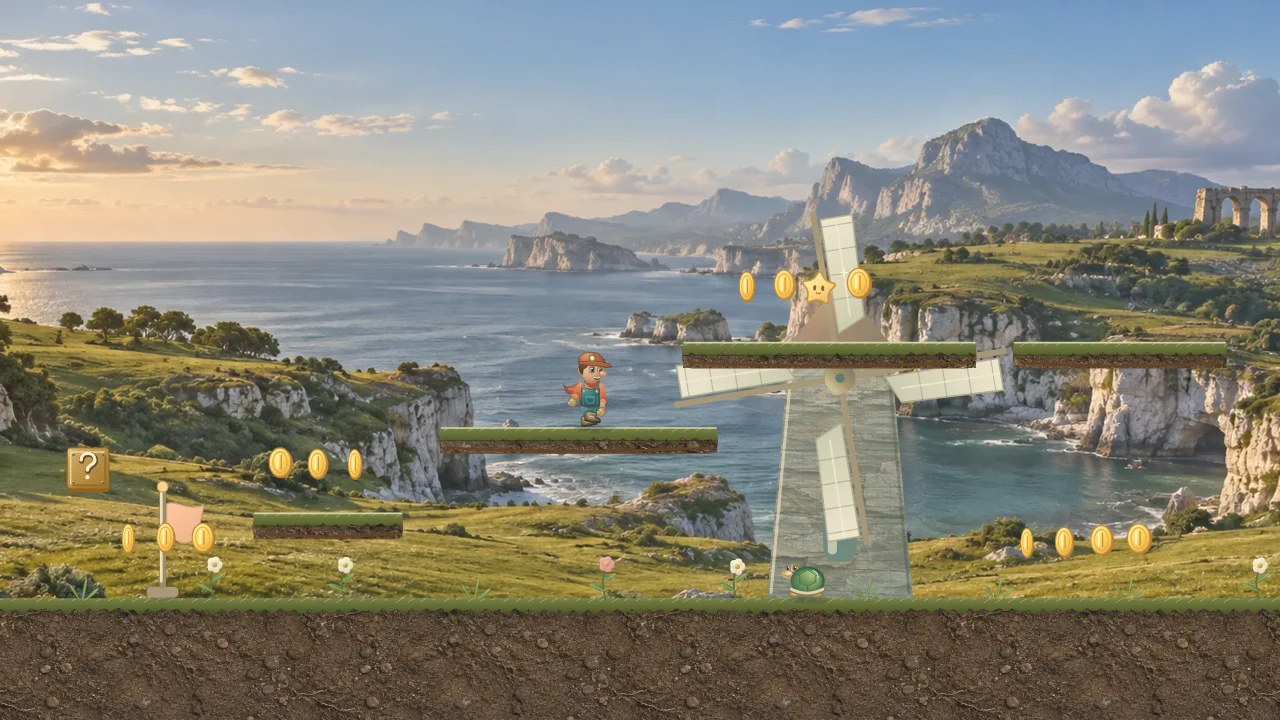
Follow the shore's shard trails, try a resonance block, and look for the marked echo gate into an underground room. Upper paths reward exploration.
40 levels · 8 worlds · One adventure
Super Quest is a free, single-player browser platform game with 40 levels across 8 worlds. Jump across gaps, collect shards, use crystal abilities, and defeat guardians.
Play Super QuestExplore all 40 course guides for maps, difficulty, terrain and direct play links, including every special challenge.
Guide updated
Choose a course, learn the controls and reach its finish flag.
Open Play Super Quest in a modern browser with JavaScript and Canvas support. No purchase, download or account is required.
Use Adventure map to choose any course, or keep the selected course. Press Start adventure or Continue adventure when you are ready.
Use Left/Right or A/D to move and Space to jump. On a phone or tablet, turn to landscape and use the joystick and Jump button. Hold Jump for more height.
Cross the course and reach its finish flag. Defeat the guardian first when it guards the finish. Resonance shards, the resonance trial and treasure are optional rewards.
Find the blue-fragment trail above the main route. Collect its first blue fragment to start an optional timed challenge, then collect all seven to earn ten fragments. This reward does not change your form. Missing the timer costs no life: leave the first fragment and return to it to retry. Growth crystals and Ember crystals come from resonance blocks you choose to hit and pickups you collect.
Look above the main route for a wooden treasure chest with brass trim. Touch it to collect twelve fragments. Trial and chest rewards stay secured through deaths and checkpoint retries during the run. Finish a course with all three resonance shards, its resonance trial and its treasure to earn a mastery mark in Levels.
The first course in each world hides an underground bonus room. Find an echo gate marked with a resonance glyph, stand on its flat top, and hold Down or S. On touchscreens, pull the joystick down. Explore the room for crystal fragments and an Ember crystal, then enter its far return gate to emerge back in the same course. Your form, lives and collected rewards travel with you; the course timer continues underground. These eight rooms are extra areas within the existing 40 courses.
Guardians pause and signal before attacking. Jump over a stomper’s ground waves, find gaps in a volley, or let a charging guardian rush past before attacking during recovery. Flying enemies can be stomped from above or hit with ember pulses.
Choose Special stages on the title screen to find the bonus challenges. Springs bounce you automatically, and ice takes longer to slow you down. Floors and raised decks stay in place; there are no moving platforms or conveyor belts. Cracked platforms shake before they collapse and return after a short time when the space is clear.
Try Treetop Bounce for a spring-assisted canopy route, Aurora Iceway for icy stretches with safe stopping islands, or Cloud Fleet for anchored airship decks and fragile gangways. Emberworks combines steady bridges with timed flames, while Crown Keep ends with a guardian.
Start with the coast, then choose a course from the Levels menu whenever you want to explore again. Stable ledges let you line up your next jump at your own pace.
Follow the shore's shard trails, try a resonance block, and look for the marked echo gate into an underground room. Upper paths reward exploration.
Stomp a crag crawler to leave its stone core, then kick the stone core along a long shore lane to clear enemies. Use the terraces for the blue-fragment trail and treasure.
Climb fixed terraces beside the windmills. The low road offers a simpler route; the upper path holds the treasure chest and resonance trial.
Cross the outer courtyards and reach the checkpoint before facing the Clover Captain. Watch the warning before each attack and use its recovery to strike.
Link automatic spring bounces with your own jumps. Shard trails show the landings, and the shore below gives you room to recover.
Quartz Crossing has a long crystal gallery with a lower passage. Sunstone Sanctuary climbs broad temple terraces, while Canopy Climb offers branching treetop paths and spring shortcuts.
Northwind Traverse crosses ice with snow for braking. The Skyward Watch boards an anchored flagship. Basalt Bridges uses fixed stone piers, and Dawn at the Citadel follows the inner castle wall toward the final guardian.
Explore the upper paths for shards, treasure and optional cloak descents. Lower routes offer room to recover. Floors stay fixed, and checkpoints provide a safe place to retry.
Super Quest is a free, single-player browser platform game with 40 levels across 8 worlds. Jump across gaps, collect shards, use crystal abilities, and defeat guardians.
There are 40 levels across 8 worlds. Each world has four main stages and one bonus challenge. Each course contains three resonance shards, for 120 resonance shards in total. All 40 courses are available from the Levels menu.
Super Quest is free to play in a modern web browser. No purchase, installation or account is required. The game needs JavaScript and Canvas support; its core game files and fonts are bundled with the site.
Use Left/Right arrows or A/D to move, Space/Up/W to jump, Shift/Z to run, Down/S to crouch or enter a marked echo gate, and X/J to throw ember pulses in Ember form. Hold jump for a higher jump. P or Escape pauses, R restarts the current level, and M toggles sound.
Yes. Turn your device to landscape. Drag the left joystick gently sideways to walk slowly, move it farther to walk faster, and reach its outer edge to run. Pull it downward to crouch. Tap the round Jump button with your other thumb, or hold it for a higher jump. A round Pulse button appears in Ember form. Release the joystick to stop moving.
Touch play uses landscape orientation. In portrait, the game pauses and shows a rotate prompt; rotate your device manually to continue. The prompt’s Landscape button can request fullscreen and landscape locking where supported. Starting, selecting, or resuming a level does not automatically enter fullscreen.
A growth crystal changes Small form to Growth, allowing you to break fractured stone from below. An Ember crystal gives Ember form and bouncing ember pulses. A prism crystal briefly protects you from enemies, spikes and flame vents. Falling into a pit or touching lava still costs a life. A life seed gives an extra life, as does collecting 100 fragments. Prism crystals are separate from the three resonance shards in each course.
Yes. Super Quest saves cleared courses, best shards, resonance-trial and treasure badges, sound preference and your equipped look in this browser on this device. Losing retries your current level. If you reached its checkpoint, Retry after game over returns there with three fresh lives. Reopening the game continues from the selected level’s start. Progress does not sync automatically between browsers or devices. Clearing site data removes it; blocked storage limits progress to the current session.
No. Super Quest is a single-player game. It does not offer online multiplayer or a shared leaderboard.
Super Quest is free to play, with no purchase required. Ads are planned for future releases, with advertising disclosures and applicable consent choices updated before they are introduced. Gameplay analytics is on by default when no saved preference exists. A saved opt-out is respected, and you can turn it off in the game’s Privacy settings without affecting play.
Find an echo gate marked with a resonance glyph, stand on its flat top and hold Down or S. On a phone or tablet, pull the joystick down. Use the far return gate inside the room to return to the same course. Your form, lives and rewards are preserved, and the course timer keeps running.
Yes. Every world has its own original music, with separate themes for underground rooms and guardian encounters. Turn on the sound button or press M to hear music and sound effects. Sound starts off and your choice is saved in this browser. Music pauses when gameplay pauses or the page is hidden.
Collect a cloak from its resonance block, then hold Jump while falling to slow your descent for up to three game seconds between landings. Release Jump to fold it. Landing restores your glide time. The cloak works with Small, Growth and Ember forms and needs no extra touch button. Damage or losing a life removes it; gate travel and choosing Next level carry it with you. The main routes remain possible without a cloak.
Open the adventure map and choose Your looks. Your best shard result from each course counts toward rewards: Explorer at 12, Aurora at 36, Ember at 72 and Starlight at 120 best shards. Classic is always available. Select any earned look to equip it. Shards are never spent, replaying a course cannot duplicate its shards, and looks change appearance without changing abilities. Your selected look is saved in this browser.
Yes. In the game, open Settings, then Transfer progress. Download a backup on the current device and choose that backup in the destination browser. Review the backup before confirming: it replaces progress in that browser. Back up the destination first if you want to keep its existing records. Privacy choices stay on each device.
After completing a course or reaching game over, choose Share your result. Review the course name, world, resonance shards and crystal fragments, then copy the text and game link or choose WhatsApp, X / Twitter or your device’s sharing options. An ended run is not described as a clear. Sharing does not publish a leaderboard entry or transfer your saved progress.
Ready for a course? Play Super Quest. Read the privacy details for storage and optional-service choices.